
How to Withdraw Money from Y999 Game
Withdrawing your earnings from Y999 Game is quick, simple, and fully secure. Whether you’re using JazzCash, Easypaisa, or your bank account, the process only takes a few minutes.
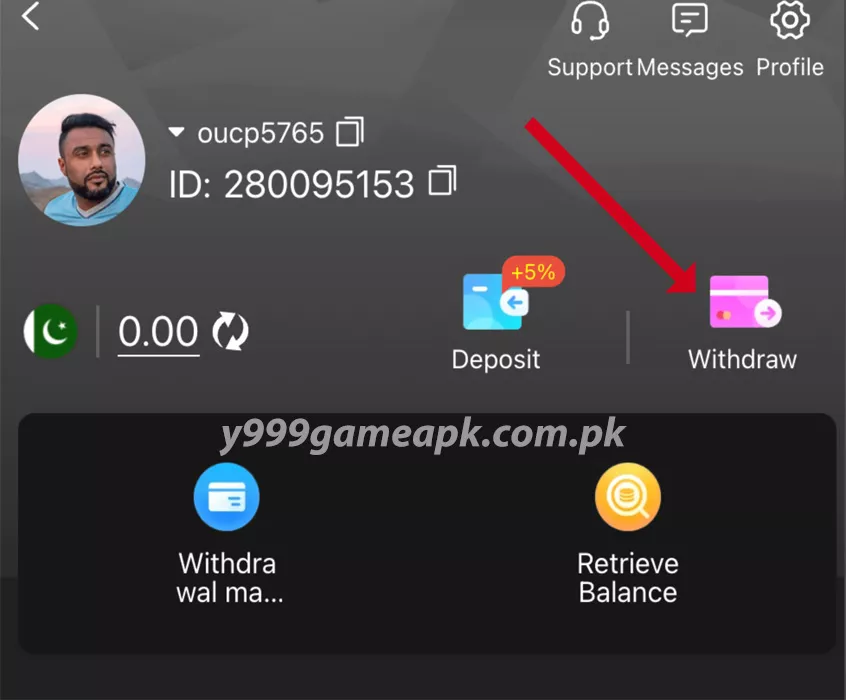
Step 1: Open the App & Tap “Withdraw”
After logging into your Y999 Game account, tap on the “Withdraw” button at the bottom of the screen. This will open the withdrawal section of the app.
If you don’t have an account yet, check out our Register Guide first.
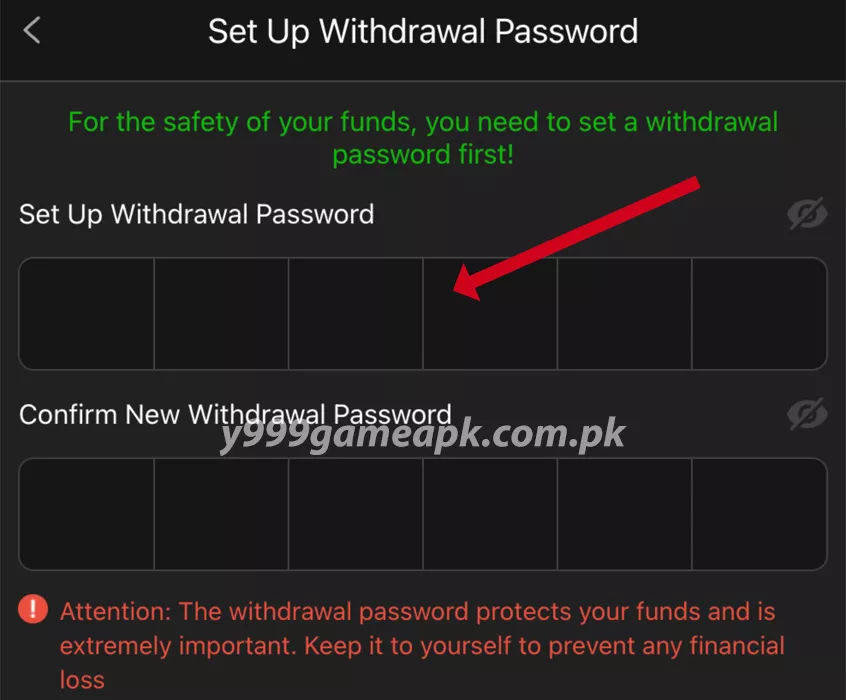
Step 2: Set Your Withdrawal Password (First Time Only)
If this is your first time withdrawing, the app will ask you to set a 6-digit withdrawal password.
- Enter a password and confirm it.
- Keep this password private it will be needed for every withdrawal.
- This extra step keeps your funds safe and secure.
Step 3: Add Your Payment Account
Next, select your preferred withdrawal method JazzCash, Easypaisa, or bank transfer. Enter your correct account details and save them.
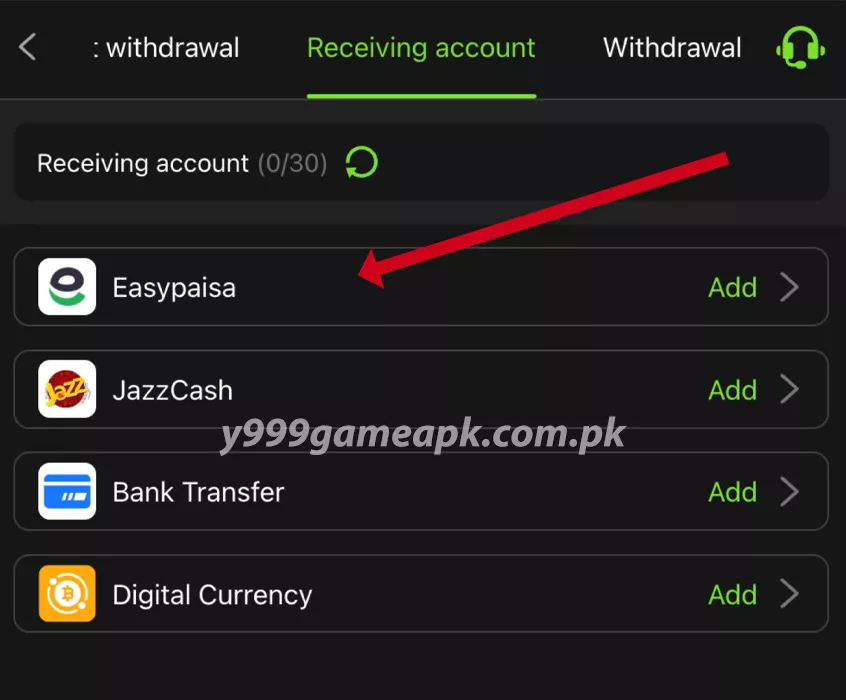
Make sure the account belongs to you to avoid any payment issues.
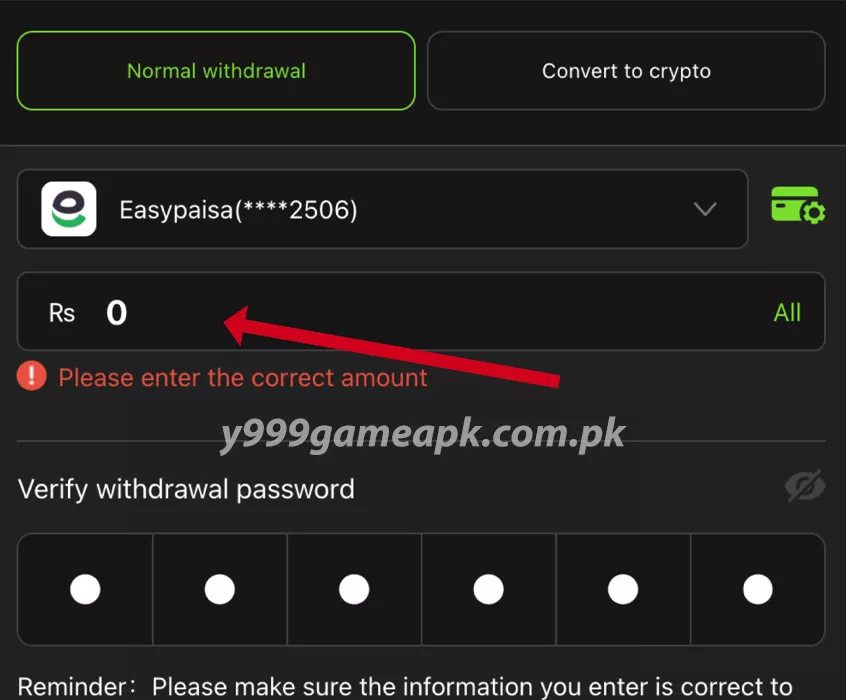
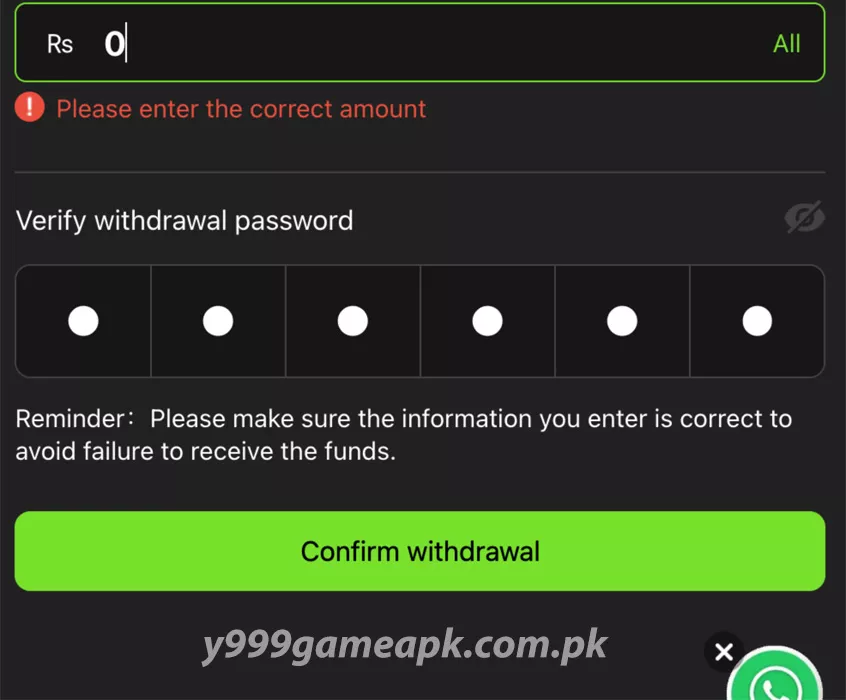
Step 4: Enter the Withdrawal Amount
Type the amount you want to withdraw. Check the minimum and maximum limits shown on the screen.
If you haven’t added funds yet, you can learn how in our Deposit Guide.
Step 5: Confirm the Transaction
Enter your withdrawal password, then tap Confirm. Your request will be processed in just a few moments.
Step 6: Receive Your Money
Most withdrawals are completed within minutes. You’ll receive the money directly in your JazzCash, Easypaisa, or bank account. You can also view your withdrawal history anytime inside the app.
Important Tips:
- Keep your withdrawal password safe and private.
- Always use your own payment account.
- Double-check details before confirming your withdrawal.